
How to Install WordPress from cPanel
How to Install WordPress from cPanel – What is WordPress?
WordPress is an open-source software platform that anyone can use completely free of charge to create a website, blog, or even a mobile application, according to the definition provided on the official WordPress website.
WordPress is software that you can download and install on your web hosting account. It then provides you with a Dashboard, through which you can control and manage almost every element of your website.
WordPress is considered one of the simplest and most popular ways to create a website or blog. Around 50% of websites on the Internet have been created using WordPress, making it one of the most widely used website-building platforms worldwide.
WordPress was launched in May 2003 by Matt Mullenweg and Mike Little, and today it is continuously developed with contributions from a large community of developers and volunteers.
WordPress is built using PHP and MySQL databases.
First, we will explain how to quickly install WordPress directly through cPanel.
The first step is to access the following address:

Replace the example domain with the domain name on which you want to install WordPress.
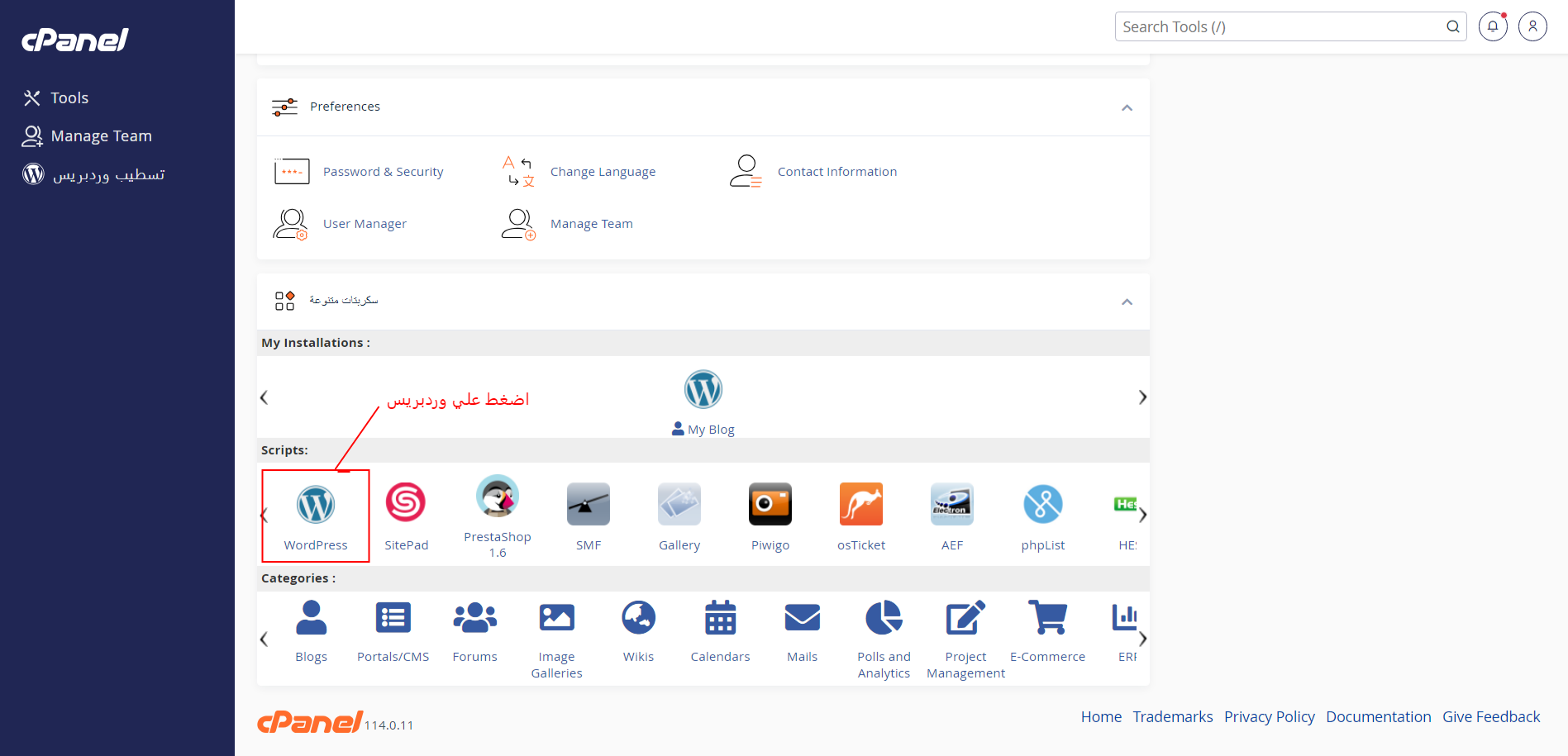
The cPanel dashboard will then appear.
The following screen will appear:
Click on Install Now.
After entering the required information, click Install.
The final installation screen will then appear.

The WordPress installation process is now complete. You will see the link to your WordPress Admin Dashboard as well as the link to your website homepage.
Once you log in using your WordPress credentials and access the available links, you can start managing your website, uploading designs, installing plugins, and customizing your website.
You can also visit the tutorials center to learn more about managing and developing your WordPress website.
WordPress Features
How to Install WordPress from cPanel
WordPress allows you to create and design your website in a relatively short amount of time.
You can upload a WordPress design or theme, make modifications to your website, and install plugins directly from the official plugin directory without needing advanced programming knowledge.

You can also upload a theme that suits your business field or choose from the available free WordPress themes.
After uploading a WordPress theme to the dashboard, you can install and activate it and begin customizing your website.
You can also upload a theme directly from your computer by going to the appropriate theme section, selecting Add New Theme or Upload Theme, choosing the theme file from your computer, and installing the plugins required by that theme.
You can then configure the theme settings, change the logo, edit the website content, and prepare the files and materials you want to add to the website design.