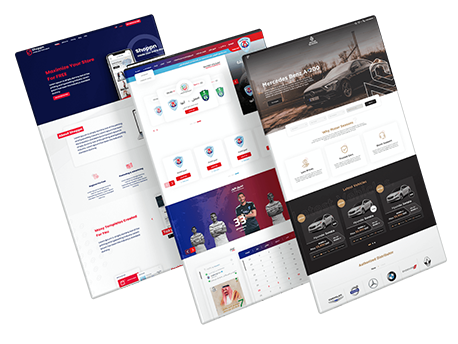
Best WordPress Plugins for Website Design
SEO Title: Best WordPress Plugins for Website Design | Top Page Builders
Meta Description: Discover the best WordPress plugins and page builders for website design, including Elementor, Divi, Beaver Builder, Visual Composer, and Themify Builder.
Suggested URL Slug: /best-wordpress-plugins-website-design/
Best WordPress Plugins for Website Design
When designing a website with WordPress, choosing the right tools and plugins can significantly improve the appearance, functionality, and overall user experience of your website.
WordPress offers a wide range of plugins and page builders that make it easier to create professional websites without requiring advanced programming knowledge.
Some of the popular tools mentioned in this guide include:
-
Elementor
-
Divi
-
Beaver Builder
-
Visual Composer
-
Themify Builder
Other WordPress tools such as Astra and Slider Revolution can also contribute to building visually attractive and flexible websites.
These tools allow website owners, designers, and developers to customize layouts, add interactive elements, create responsive pages, and improve the overall website-building process.
Free WordPress Website Design Plugins
WordPress is one of the most popular content management systems and provides access to a large ecosystem of plugins.
Plugins can add or improve functionality such as:
-
Website design
-
Search engine optimization
-
Security
-
Website speed
-
Multimedia management
-
Social media integration
-
eCommerce
-
Contact forms
Many WordPress plugins offer free versions, making them accessible to both beginners and professional website designers.
First Marketing recommends choosing suitable plugins according to the actual requirements of your website rather than installing unnecessary tools.
1. Elementor
Elementor is one of the most popular WordPress page-building tools.
It provides a visual website editor that allows users to create and customize pages without writing code.
Elementor can be installed directly through the WordPress dashboard.
To install it:
-
Log in to your WordPress dashboard.
-
Go to Plugins.
-
Select Add New.
-
Search for Elementor.
-
Install the plugin.
-
Activate it.
Once activated, Elementor becomes available inside WordPress and can be used to create and edit website pages visually.
Elementor Features
Drag-and-Drop Page Builder
Elementor uses a drag-and-drop interface that allows users to move website elements around the page without writing code.
This makes page design easier for beginners.
Large Template Library
Elementor includes a collection of ready-made templates that can be customized according to different website needs.
Templates can help reduce the time required to create pages from scratch.
Responsive Design
Pages created with Elementor can be designed for different screen sizes, including:
-
Desktop computers
-
Tablets
-
Smartphones
Responsive design is important for creating a consistent user experience across devices.
Advanced Text Editing
Elementor provides options for adjusting:
-
Fonts
-
Colors
-
Spacing
-
Typography
-
Text alignment
This gives users greater control over page appearance.
Arabic Interface Support
Elementor supports Arabic, which can make the platform easier to use for Arabic-speaking WordPress users.
WordPress Integration
Elementor is designed to work directly with WordPress, making it a popular option among WordPress website owners.
Regular Updates
The plugin receives updates that may include:
-
New features
-
Bug fixes
-
Compatibility improvements
-
Performance enhancements
Integration With Other Plugins
Elementor can work alongside many other WordPress plugins, allowing businesses to expand the functionality of their websites.
Design Control
Users can customize different sections of a website, including:
-
Headers
-
Page sections
-
Content areas
-
Footers
The available level of control may depend on the Elementor version and website setup.
Advanced Visual Effects
Elementor includes design options such as:
-
Video backgrounds
-
Animated backgrounds
-
Motion effects
-
Dynamic design elements
These tools can help create more visually engaging pages.
Why Use Elementor for WordPress Website Design?
Elementor makes it possible to design and modify WordPress pages visually.
The real-time editor allows users to see design changes while working.
This can make website development faster and easier because users do not need to switch repeatedly between the editor and front-end preview.
2. Divi
Divi is another popular WordPress website-building solution.
It is developed by Elegant Themes and provides visual page-building and customization tools.
To use Divi, users generally obtain the theme or related tools from Elegant Themes and install them through the WordPress dashboard.
The basic installation process includes:
-
Download the Divi ZIP file.
-
Log in to WordPress.
-
Go to Appearance.
-
Select Themes.
-
Click Add New.
-
Choose Upload Theme.
-
Upload the Divi file.
-
Install and activate it.
After activation, users can begin customizing their website through Divi’s page-building tools.
Divi Features
Attractive Website Design
Divi provides a variety of visual modules and layout options that can be used to build professional websites.
Easy to Use
Its visual interface makes it possible to customize pages without requiring advanced programming knowledge.
Responsive Design
Divi supports layouts designed to work across mobile phones, tablets, and larger screens.
Website Performance
The theme and builder are designed to create modern WordPress websites while providing customization options for different projects.
Template Library
Divi includes a large library of ready-made layouts that can be imported and customized.
Technical Support
Elegant Themes provides documentation, support resources, and updates for Divi users.
SEO-Friendly Website Structure
The source article highlights Divi as providing features that can support search engine optimization as part of a broader WordPress SEO strategy.
3. Beaver Builder
Beaver Builder is a WordPress page builder that provides a visual interface for creating website pages.
A free version can be installed directly through WordPress.
To install Beaver Builder:
-
Open the WordPress dashboard.
-
Go to Plugins.
-
Select Add New.
-
Search for Beaver Builder.
-
Install the plugin.
-
Activate it.
A premium version is also available with additional features.
Beaver Builder Features
Easy Page Building
Beaver Builder offers a user-friendly interface that makes page creation relatively simple.
Professional Features
The premium version includes additional tools for more advanced website design projects.
GPL Licensing
The article identifies Beaver Builder Pro as being available under the GNU General Public License.
Website Design Flexibility
Users can create different page structures and layouts according to their website requirements.
Multiple Website Usage
The article highlights multi-site usage as one of the advantages associated with the relevant Beaver Builder Pro licensing option.
Updates
Premium access may include updates according to the selected licensing plan.
Simple Page Creation
The free Beaver Builder Lite version provides basic tools that can be useful for users creating simple WordPress pages.
User-Friendly Interface
The front-end editing experience is designed to make page organization and editing easier.
Basic Modules
The free version includes basic elements for building pages, such as:
-
Headings
-
Text
-
Rows
-
Columns
These provide a foundation for creating simple website layouts.
Why Choose Beaver Builder?
Beaver Builder can be suitable for users who want a straightforward WordPress page-building experience.
Its visual interface makes it possible to create pages without relying heavily on manual coding.
4. Visual Composer
Visual Composer is another website-building tool for WordPress.
It provides a visual editor and a library of website elements, templates, and design options.
How to Install Visual Composer
To install Visual Composer:
-
Log in to your WordPress dashboard.
-
Go to Plugins.
-
Select Add New.
-
Search for Visual Composer Website Builder.
-
Click Install Now.
-
Activate the plugin.
After activation, users can access the Visual Composer tools and begin designing pages.
Visual Composer Features
Drag-and-Drop Interface
Visual Composer provides a visual drag-and-drop interface designed for both beginners and experienced WordPress users.
Front-End Editor
Users can edit pages directly from the front-end interface and preview changes while working.
Content Elements
Visual Composer includes different content elements such as:
-
Text
-
Images
-
Videos
-
Buttons
-
Other website components
Ready-Made Templates
The plugin provides professional templates that can be used directly or customized.
Advanced Design Options
Users can control design elements such as:
-
Colors
-
Fonts
-
Layouts
-
Spacing
Grid Layouts
Pages can be organized using rows and columns to build more complex layouts.
Mobile Responsiveness
Visual Composer provides responsive design options for different screen sizes.
SEO Considerations
The article highlights Visual Composer as supporting website structures that can work with broader SEO practices.
Development Environments
Visual Composer provides functionality that can support development and staging environments.
Role Manager
Role management can help website administrators control which editing options different users can access.
This can reduce the possibility of unauthorized design changes.
User Access and Security
Controlling editing permissions may also help reduce accidental changes made by website users.
5. Themify Builder
Themify Builder is a WordPress page-building tool that uses a drag-and-drop interface.
It allows users to visually create and organize page layouts.
Themify Builder can work with several WordPress plugins and services, including tools mentioned in the source article such as:
-
WooCommerce
-
Yoast SEO
-
Disqus
-
Mailchimp
-
Jetpack
-
WPML
-
Contact Form 7
It also provides front-end and back-end editing options.
Themify Builder Features
Easy to Use
Themify Builder provides a drag-and-drop interface designed to simplify page creation.
Flexible Design
Users can create different layouts and organize website sections according to their creative requirements.
Live Preview
The live preview feature allows users to see design changes while editing.
Image Features
Additional tools can provide different ways to present and customize images.
Pricing Tables
Pricing table functionality can help businesses create professional service or product pricing sections.
Countdown Timers
Countdown tools can be used for:
-
Special offers
-
Product launches
-
Events
-
Limited-time promotions
Timeline Features
Timeline functionality can be useful for presenting:
-
Company history
-
Events
-
Projects
-
Milestones
Additional Extensions
Themify offers multiple extensions that can expand the functionality of the builder.
Compatibility
Themify Builder is designed to work with different WordPress themes and plugins.
Technical Support
The platform provides support resources for users who need assistance.
Elementor vs. Divi vs. Beaver Builder vs. Visual Composer
When choosing a WordPress page builder, businesses should consider their actual website requirements.
| Page Builder | Main Strength | Suitable For |
|---|---|---|
| Elementor | Visual drag-and-drop editing | Beginners and professional designers |
| Divi | Extensive layouts and visual customization | Highly customized websites |
| Beaver Builder | Simple and flexible page building | Beginners and developers |
| Visual Composer | Content elements and template library | Business and content-focused websites |
| Themify Builder | Flexible layouts and integrations | Customized WordPress projects |
There is no single page builder that is perfect for every website.
The right choice depends on:
-
Website type
-
Design complexity
-
Budget
-
Required integrations
-
User experience
-
Technical knowledge
How to Choose the Best WordPress Website Design Plugin
Before installing a WordPress page builder, consider several important factors.
Ease of Use
Choose a tool that matches your technical experience.
If you are a beginner, a visual drag-and-drop editor can simplify the website-building process.
Responsive Design
Make sure the tool allows you to customize website layouts for:
-
Mobile phones
-
Tablets
-
Desktop screens
Templates
Ready-made templates can significantly reduce website design time.
Performance
Plugins add functionality to WordPress, but website owners should also pay attention to overall website performance.
Choose only the plugins you actually need.
Compatibility
Before installing a plugin, confirm that it is compatible with:
-
Your WordPress version
-
Your theme
-
Other important plugins
Updates
Choose tools that are actively maintained and regularly updated.
Support
Documentation and technical support can become important when you experience problems.
WordPress Plugins and Website Performance
Plugins can significantly increase WordPress functionality.
However, installing unnecessary plugins may make a website more difficult to manage.
Website owners should regularly review installed plugins and remove tools they no longer need.
Other factors affecting website performance include:
-
Hosting
-
Image optimization
-
Theme quality
-
Caching
-
Database optimization
-
Number of scripts
A well-designed WordPress website should balance functionality with performance.
WordPress Website Design Without Coding
One of the biggest advantages of modern WordPress page builders is the ability to create websites without advanced programming knowledge.
Drag-and-drop tools allow users to visually build:
-
Landing pages
-
Business websites
-
Service pages
-
Portfolio pages
-
Online stores
-
Blog layouts
This gives businesses greater control over their website design.
Responsive WordPress Website Design
Responsive design is essential for modern websites.
Visitors may access your website from:
-
Smartphones
-
Tablets
-
Laptops
-
Desktop computers
A good page builder should provide tools for adjusting layouts across different screen sizes.
Responsive websites can provide a more consistent user experience.
WordPress Page Builders and SEO
A WordPress page builder alone does not guarantee high search engine rankings.
SEO depends on many factors, including:
-
Content quality
-
Website structure
-
Page speed
-
Mobile usability
-
Internal linking
-
Metadata
-
Technical SEO
When using page builders, website owners should avoid unnecessary page complexity and maintain a clear content structure.
Why First Marketing Recommends WordPress Design Tools
The original article from First Marketing highlights these WordPress tools as options for improving website design and functionality.
A professional WordPress website can combine:
-
Reliable hosting
-
WordPress installation
-
Professional themes
-
Page-building tools
-
Suitable plugins
-
Performance optimization
The objective is to create a website that is attractive, easy to use, and aligned with business goals.
Frequently Asked Questions
What Is the Best WordPress Plugin for Website Design?
There is no single best option for every project.
Popular choices discussed in this article include Elementor, Divi, Beaver Builder, Visual Composer, and Themify Builder.
Is Elementor Free?
Elementor provides a free version, while additional premium functionality is available separately.
Can I Design a WordPress Website Without Coding?
Yes.
Visual page builders such as Elementor, Beaver Builder, Visual Composer, and Themify Builder allow users to create many website layouts without advanced coding skills.
What Is a WordPress Page Builder?
A WordPress page builder is a tool that allows users to create and customize website layouts visually.
Many page builders use drag-and-drop interfaces.
Is Divi Suitable for Beginners?
Divi provides a visual editing interface that can make customization easier for users without advanced programming experience.
Is Beaver Builder Available for Free?
Yes.
Beaver Builder offers a free Lite version, while premium versions provide additional functionality.
Does Visual Composer Support Responsive Design?
According to the source article, Visual Composer provides responsive design functionality for different devices and screen sizes.
Can Themify Builder Work With WooCommerce?
The source article lists WooCommerce among the major WordPress plugins that Themify Builder can integrate with.
Do Page Builders Affect Website Speed?
Website performance depends on many factors, including hosting, theme configuration, plugins, media files, and page structure.
Using only the plugins you need and optimizing website resources can help maintain better performance.
Can WordPress Plugins Help With SEO?
Some plugins provide tools related to SEO, but search engine optimization depends on a broader strategy involving content, technical performance, website structure, and other factors.
Conclusion
Choosing the best WordPress plugins for website design depends on the type of website you want to build and the features you need.
Popular WordPress page-building options discussed in this guide include:
-
Elementor
-
Divi
-
Beaver Builder
-
Visual Composer
-
Themify Builder
Each provides different design tools, templates, customization options, and editing experiences.
A successful WordPress website should combine professional design with responsive layouts, good performance, suitable plugins, and a clear user experience.
With First Marketing, website owners can build WordPress websites using suitable hosting, themes, design tools, and performance optimization strategies to create a stronger digital presence.